LinkedIn has become an essential platform for professionals and businesses alike, offering unique opportunities for networking, thought leadership, and brand visibility. It’s a place where you can showcase your expertise, connect with industry peers, and grow your business. Whether you’re sharing insights or publishing valuable content, LinkedIn plays a vital role in building your professional reputation.
Here’s an updated version with steps for posting content on LinkedIn:
Posting Content on LinkedIn
– Posting on LinkedIn is a straightforward process, but it’s important to follow a few key steps to maximize your content’s impact. Whether you’re sharing articles or quick updates, LinkedIn offers versatile posting options. Here’s how you can easily post content:
Steps to Post on LinkedIn:
1. Step 1: Start a Post
– On your LinkedIn homepage, click the “Start a post” button at the top of your feed.
– Here, you can add text, share links, or mention people to engage your network.
2. Step 2: Add Media or Links
– If you have a blog or website link to share, paste it in the post. LinkedIn will automatically pull in a preview of the webpage, including the featured image and a short description.
– You can also upload images, videos, or documents to add more context to your post.
3. Step 3: Use Hashtags
– To increase the visibility of your post, add relevant hashtags. This will help categorize your content and make it easier for others to discover.
4. Step 4: Tag Relevant People or Companies
– If your post mentions specific people or companies, tag them to boost engagement. This can help spread your post to a wider audience.
5. Step 5: Publish or Schedule
– You can choose to publish your post immediately by clicking “Post” or schedule it for later if you’re using a tool like MarketBeam. Scheduling ensures your content goes live at peak engagement times.
6. Step 6: Track Post Performance
– After posting, monitor the engagement through LinkedIn’s analytics dashboard to see how your post is performing in terms of likes, comments, and views.
Want to know more easy ways to create content and publish new posts on LinkedIn?
Here it is –
Step-by-Step Guide to Effortless LinkedIn Posting with MarketBeam
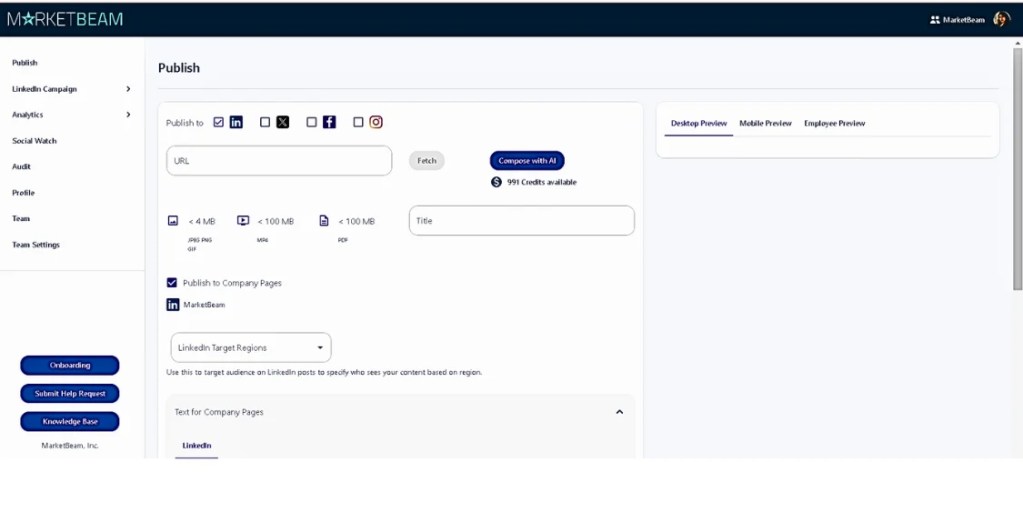
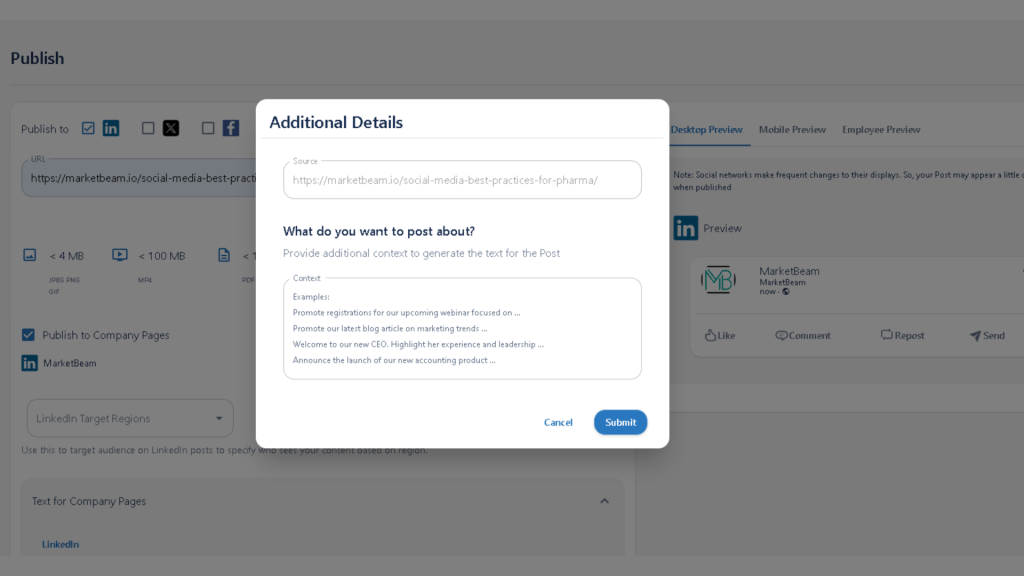
Step 1: Paste and Let MarketBeam Do the Magic
- Forget about manually crafting every post! All you need to do is paste your blog URL into MarketBeam. In just a second, MarketBeam works its magic – instantly pulling in your blog’s featured image, content, and even suggesting the perfect hashtags. It’s like having your own content assistant. Once everything is fetched, hit the “Create Content” button, and you’re almost there!
Step 2: Set It and Forget It
- Now that your post is ready, you can either set the perfect time to schedule your post with just a few clicks or hit “Post Now” if you’re ready to go live. MarketBeam makes it incredibly easy, so you can spend less time worrying about posting and more time enjoying the engagement!
Step 3: Watch the Results Roll In
- Once your content is live, MarketBeam’s real-time analytics dashboard will give you instant insights into how your post is performing. Whether it’s engagement, reach, or lead conversions, you’ll have all the data you need at your fingertips, with no extra effort!



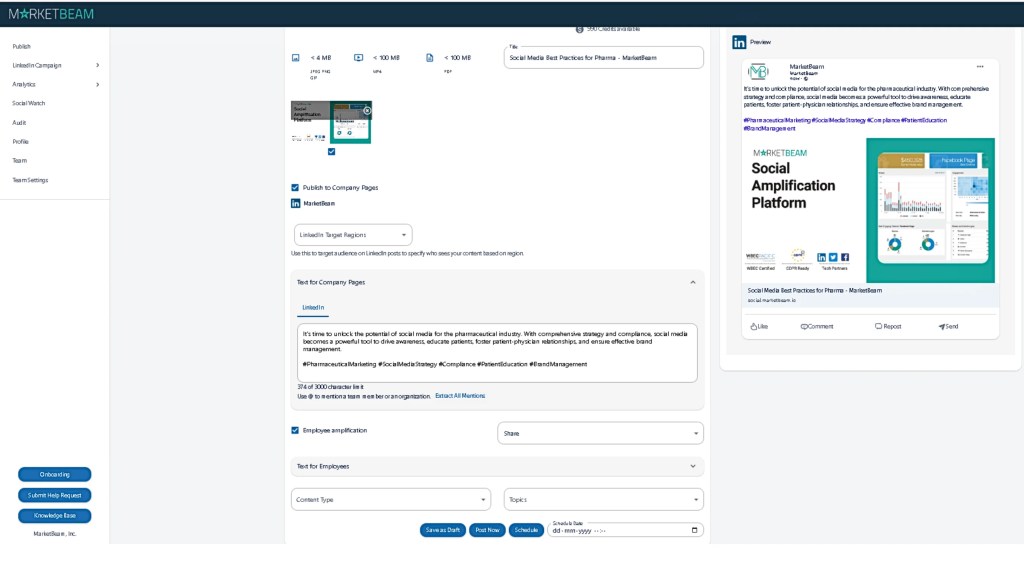
The Easiest Way to Publish on LinkedIn
With MarketBeam, publishing on LinkedIn has never been simpler. No need to spend time uploading images or crafting content manually. Just paste, publish, and watch your posts soar. It’s easier than you can imagine – truly a “set it and forget it” approach to LinkedIn success!